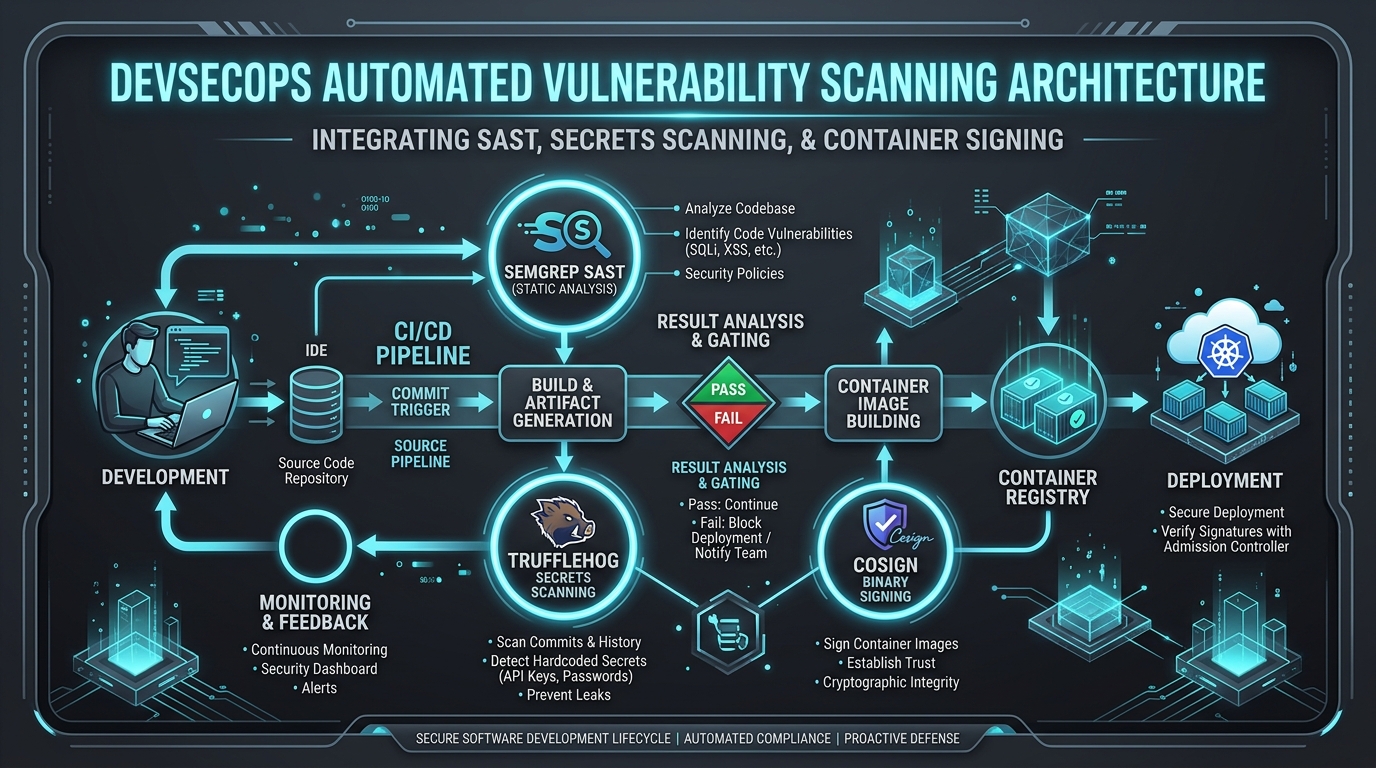
Modern CI/CD automation pipelines are one of the most high-value targets in cloud environments. Hardcoded AWS access keys (AWS_ACCESS_KEY_ID and AWS_SECRET_ACCESS_KEY) stored in repository secrets pose a severe threat: if compromised or leaked via a PR build, attackers gain persistent access to your infrastructure.
In this first part of our DevSecOps Zero-to-Hero Pipeline Security playlist, we cover how to completely eliminate static cloud credentials using OpenID Connect (OIDC) federated authentication, enforce least-privilege IAM boundary policies, and remediate GitHub Actions workflow vulnerabilities like pull_request_target injection.
1. The Risk of Long-Lived CI/CD Credentials
Storing static credentials inside GitHub Secrets introduces critical risks:
- Credential Drift & Theft: Static keys do not rotate automatically. If a pipeline step prints environment variables or leaks an artifact, the key remains active indefinitely.
- Over-privileged Access: Developers often attach broad policies (
AdministratorAccessors3:*) to pipeline IAM users to avoid deployment permission errors. - No Short-lived Revocation: Disabling access requires manual intervention in the AWS IAM Console.
2. Architecting OIDC Federated Authentication
OIDC allows GitHub Actions workflows to request short-lived JSON Web Tokens (JWT) signed by GitHub’s Identity Provider (https://token.actions.githubusercontent.com). AWS verifies the token signature against GitHub’s OpenID discovery endpoint and issues temporary STS credentials (aws:AssumeRoleWithWebIdentity).
┌─────────────────┐       1. Request JWT Token       ┌────────────────────────┐
│  GitHub Actions │ ───────────────────────────────> │ GitHub OIDC Provider   │
│    Workflow     │ <─────────────────────────────── │ (token.actions.github) │
└────────┬────────┘       2. Signed OIDC Token       └────────────────────────┘
         │
         │ 3. AssumeRoleWithWebIdentity(Token, RoleArn)
         ▼
┌─────────────────┐
│     AWS STS     │ ───────────────────────────────┐
│ (Security Token)│                                │ 4. Validate Claims
└────────┬────────┘                                ▼
         │                                ┌────────────────────────┐
         │ 5. Short-Lived Credentials     │   AWS IAM OIDC Provider    │
         └──────────────────────────────> │  & Trust Policy Check  │
                                          └────────────────────────┘
3. Configuring AWS IAM OIDC Provider & Trust Policy
Step 1: Create the OIDC Identity Provider in AWS
Using Terraform to register GitHub’s OIDC Provider:
resource "aws_iam_openid_connect_provider" "github" {
  url             = "https://token.actions.githubusercontent.com"
  client_id_list  = ["sts.amazonaws.com"]
  thumbprint_list = ["6938fd4d98bab03faadb97b34396831e3780aea1"] # GitHub OIDC CA thumbprint
}
Step 2: Define the Scoped IAM Trust Policy
Never grant wildcard access (repo:org/*:*). Strictly scope the sub (subject) claim to your specific organization, repository, and deployment branch:
{
  "Version": "2012-10-17",
  "Statement": [
    {
      "Effect": "Allow",
      "Principal": {
        "Federated": "arn:aws:iam::123456789012:oidc-provider/token.actions.githubusercontent.com"
      },
      "Action": "sts:AssumeRoleWithWebIdentity",
      "Condition": {
        "StringEquals": {
          "token.actions.githubusercontent.com:aud": "sts.amazonaws.com",
          "token.actions.githubusercontent.com:sub": "repo:Dynamo2k1/Portfolio:ref:refs/heads/main"
        }
      }
    }
  ]
}
4. Hardening the GitHub Actions Workflow
Below is a production-grade hardened workflow that requests minimal permissions and assumes the short-lived AWS IAM role:
name: Secure Production Deployment

on:
  push:
    branches: [ main ]

# Require minimal top-level permissions (Principle of Least Privilege)
permissions:
  id-token: write  # Mandatory for requesting the OIDC JWT token
  contents: read   # Read repository contents only

jobs:
  deploy:
    name: Build & Deploy Infrastructure
    runs-on: ubuntu-latest

    steps:
      - name: Checkout Code
        uses: actions/checkout@v4

      - name: Configure AWS Credentials via OIDC
        uses: aws-actions/configure-aws-credentials@v4
        with:
          role-to-assume: arn:aws:iam::123456789012:role/GitHubActions-Production-Deployer
          aws-region: us-east-1
          audience: sts.amazonaws.com
          role-session-name: GitHubActionsDeployment

      - name: Verify AWS Identity
        run: |
          aws sts get-caller-identity
5. Preventing Workflow Injection Vulnerabilities
The pull_request_target Trap
Using pull_request_target triggers the workflow in the context of the base branch while retaining access to repository secrets. If combined with explicit checkout of untrusted code from a fork:
# ❌ VULNERABLE WORKFLOW - DO NOT USE
on: pull_request_target

jobs:
  build:
    runs-on: ubuntu-latest
    steps:
      - uses: actions/checkout@v4
        with:
          ref: ${{ github.event.pull_request.head.sha }} # Checks out malicious PR code!
      - run: npm install && npm run build               # Executes arbitrary attacker code!
Remediation:
- Always run untrusted PR code under
pull_request(which has zero secret access and read-only token permissions). - If
pull_request_targetis strictly necessary (e.g. for labeling PRs), never check out or execute code fromgithub.event.pull_request.head.sha.
In Part 2 of this playlist, we explore Automated SAST, DAST & Secret Scanning with Semgrep and TruffleHog.
// Discussion