Network Security Monitoring with Wireshark & Zeek
Practical guide to network security monitoring using Wireshark and Zeek for traffic analysis, threat hunting, and incident detection.
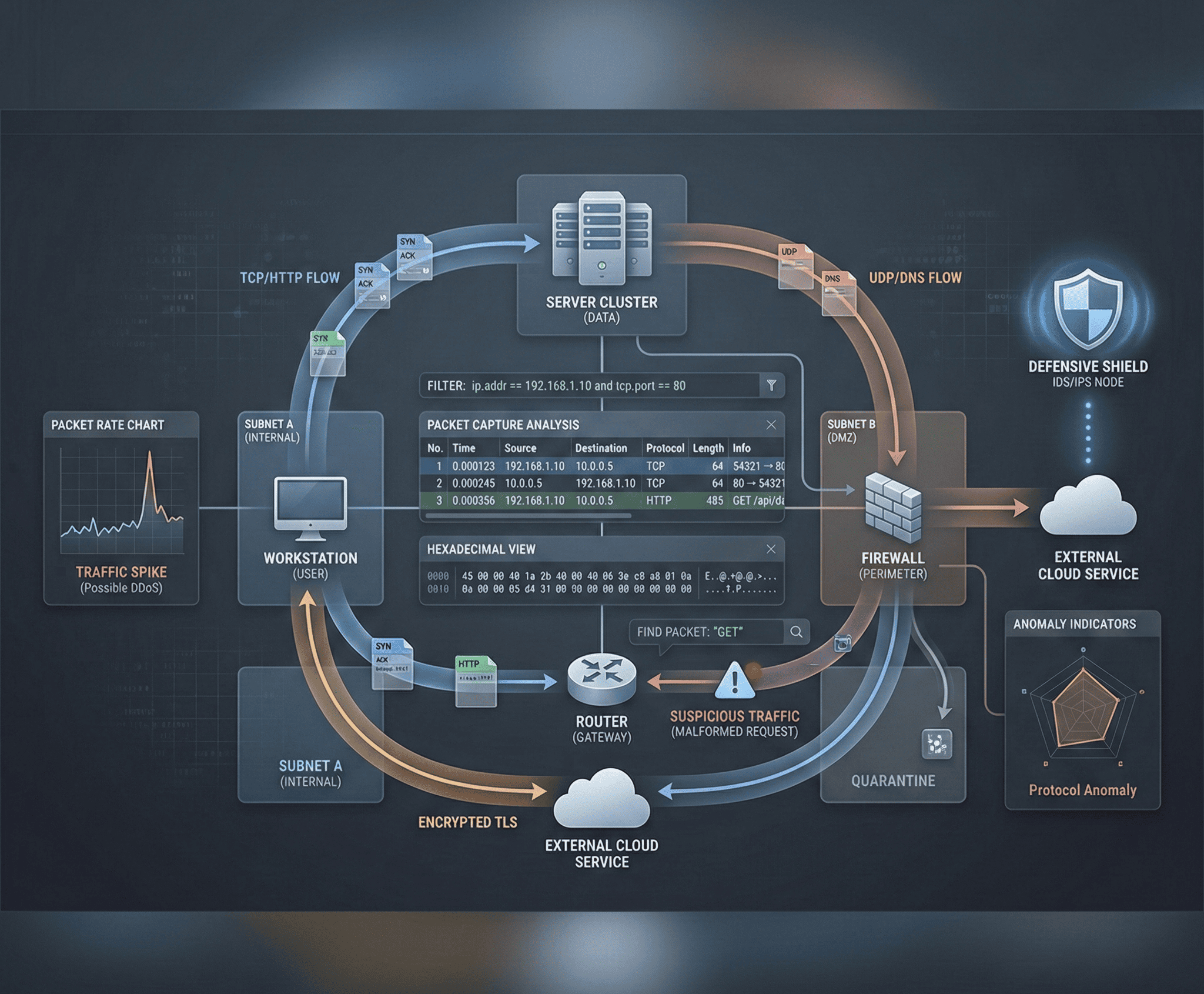
Network traffic never lies. While attackers can clear logs, modify timestamps, and tamper with endpoints, the packets traversing your network provide an immutable record of every communication. Network Security Monitoring (NSM) is the discipline of capturing, analyzing, and interpreting that traffic to detect threats, investigate incidents, and hunt for adversaries. This guide covers the two most powerful open-source NSM tools — Wireshark and Zeek — and teaches you to find real threats in real traffic.
Wireshark Fundamentals
Wireshark is the world’s most widely used network protocol analyzer. It captures packets in real time and provides deep inspection of hundreds of protocols.
Capture and Display Filters
Capture filters (BPF syntax) limit what traffic is recorded. Display filters (Wireshark syntax) control what you see in an existing capture. Master both:
# Capture Filters (applied before capture - BPF syntax)
host 10.10.10.5                          # Traffic to/from a specific host
net 192.168.1.0/24                       # Traffic on a specific subnet
port 443                                 # HTTPS traffic
tcp port 445                             # SMB traffic
not broadcast and not multicast          # Reduce noise

# Display Filters (applied after capture - Wireshark syntax)
ip.addr == 10.10.10.5                    # Traffic involving specific IP
tcp.port == 80 && http.request           # HTTP requests only
dns.qry.name contains "evil"            # DNS queries containing "evil"
tcp.flags.syn == 1 && tcp.flags.ack == 0 # SYN packets only (new connections)
http.request.method == "POST"            # HTTP POST requests
frame.time >= "2025-01-15 08:00:00"      # Time-based filtering
tcp.analysis.retransmission              # Retransmitted packets
smb2.cmd == 5                            # SMB2 Create requests
tls.handshake.type == 1                  # TLS Client Hello
Following TCP Streams
One of Wireshark’s most powerful features is reassembling TCP streams to see the full conversation between client and server. Right-click any packet and select Follow → TCP Stream to see the complete data exchange in order, color-coded by direction. This reveals plaintext credentials, command-and-control communications, HTTP request/response pairs, and data exfiltration payloads.
Exporting Objects
Wireshark can extract files transferred over HTTP, SMB, TFTP, and other protocols. Navigate to File → Export Objects → HTTP to see every file downloaded during the capture. This is invaluable during malware analysis — you can extract the malicious payload, dropper scripts, and secondary stage downloads directly from the packet capture.
Advanced Wireshark Techniques
TLS Decryption
Modern traffic is encrypted, but you can decrypt TLS in Wireshark if you have the session keys. Configure your browser to log pre-master secrets:
# Set environment variable before launching browser
export SSLKEYLOGFILE=/tmp/tls_keys.log

# Launch browser
firefox &

# In Wireshark: Edit → Preferences → Protocols → TLS
# Set "(Pre)-Master-Secret log filename" to /tmp/tls_keys.log
Now Wireshark decrypts all TLS traffic from that browser session, revealing HTTP/2 headers, API calls, and POST bodies that would otherwise be opaque.
Detecting Network Attacks
Specific Wireshark filters for common attack patterns:
# ARP Spoofing detection
arp.duplicate-address-detected

# Port scanning detection (many SYN packets, few responses)
tcp.flags.syn == 1 && tcp.flags.ack == 0

# DNS exfiltration (unusually long DNS queries)
dns.qry.name.len > 50

# ICMP tunneling (large ICMP packets)
icmp && data.len > 64

# SMB brute force (multiple failed authentications)
ntlmssp.auth && smb2.nt_status != 0x00000000

# Kerberos attacks
kerberos.msg_type == 13 && kerberos.etype == 23  # Kerberoasting (RC4 TGS requests)

# HTTP-based C2 beaconing (regular interval requests)
http.request && ip.dst == <suspicious_ip>
File Carving from Captures
Extract transferred files for malware analysis:
# Extract files using tshark
tshark -r capture.pcap --export-objects http,/tmp/extracted_files/

# Extract specific file types
tshark -r capture.pcap -Y "http.content_type contains image" --export-objects http,/tmp/images/
Zeek — The Network Analysis Framework
While Wireshark excels at deep-diving into individual packets, Zeek (formerly Bro) operates at a higher level. It transforms raw packets into structured, richly typed logs that are ideal for security monitoring at scale.
Zeek Log Types
Zeek generates separate log files for each protocol and activity type:
| Log File | Content |
|---|---|
conn.log | Every connection (IP, port, duration, bytes) |
dns.log | DNS queries and responses |
http.log | HTTP requests with headers, URIs, response codes |
ssl.log | TLS handshakes with certificates and JA3 hashes |
files.log | Files transferred over any protocol |
notice.log | Zeek-generated alerts and notices |
weird.log | Protocol violations and anomalies |
x509.log | Certificate details |
smtp.log | Email metadata |
Analyzing Zeek Logs
# Process a pcap file with Zeek
zeek -r capture.pcap local

# Find all connections to a specific IP
cat conn.log | zeek-cut id.orig_h id.resp_h id.resp_p proto duration orig_bytes resp_bytes | \
  grep "10.10.10.5"

# Find long-duration connections (potential C2)
cat conn.log | zeek-cut id.orig_h id.resp_h id.resp_p duration | \
  awk '$4 > 3600 {print}' | sort -t$'\t' -k4 -rn

# Analyze DNS queries for suspicious domains
cat dns.log | zeek-cut query answers | sort | uniq -c | sort -rn | head -20

# Find HTTP POST requests (potential data exfiltration)
cat http.log | zeek-cut id.orig_h id.resp_h method host uri response_body_len | \
  grep "POST"

# Extract JA3 hashes for TLS fingerprinting
cat ssl.log | zeek-cut id.orig_h id.resp_h ja3 ja3s server_name | sort | uniq -c | sort -rn
Custom Zeek Scripts
Zeek’s scripting language allows you to create custom detectors:
# Detect DNS queries to known malicious TLDs
@load base/frameworks/notice

event dns_request(c: connection, msg: dns_msg, query: string, qtype: count, qclass: count)
{
    local suspicious_tlds = set(".xyz", ".top", ".tk", ".ml", ".ga", ".cf");

    for (tld in suspicious_tlds)
    {
        if (ends_with(query, tld))
        {
            NOTICE([$note=DNS::Suspicious_Query,
                     $conn=c,
                     $msg=fmt("Suspicious DNS query: %s", query),
                     $sub=query,
                     $identifier=cat(c$id$orig_h, query)]);
        }
    }
}

# Detect beaconing behavior (regular interval connections)
event connection_state_remove(c: connection)
{
    if (c$duration > 0 && c$orig$size > 0 && c$resp$size > 0)
    {
        if (c$orig$size < 1000 && c$resp$size < 1000 && c$duration < 5)
        {
            # Low data, short duration - potential beacon
            # Log for further analysis
        }
    }
}
Threat Hunting with Network Data
Detecting Command-and-Control (C2)
C2 traffic has distinctive patterns regardless of the framework used:
Beaconing: C2 implants call home at regular intervals. Detect this by analyzing connection frequency:
# Find hosts with regular connection intervals to the same destination
cat conn.log | zeek-cut id.orig_h id.resp_h id.resp_p ts | \
  sort -k1,2 -k4 | \
  awk '{
    key = $1 " " $2 " " $3;
    if (key == prev_key) {
      delta = $4 - prev_ts;
      print key, delta;
    }
    prev_key = key;
    prev_ts = $4;
  }' | sort | uniq -c | sort -rn | head -20
JA3/JA3S Fingerprinting: TLS client and server fingerprints identify known C2 frameworks even when traffic is encrypted. Maintain a database of known malicious JA3 hashes and alert on matches.
Detecting Data Exfiltration
# Find large outbound transfers
cat conn.log | zeek-cut id.orig_h id.resp_h orig_bytes | \
  awk '$3 > 10000000 {print}' | sort -t$'\t' -k3 -rn

# DNS tunneling detection - high volume of unique DNS queries to one domain
cat dns.log | zeek-cut query | \
  awk -F. '{print $(NF-1)"."$NF}' | sort | uniq -c | sort -rn | head -10
Detecting DNS Tunneling
DNS tunneling encodes data in DNS queries and responses. Look for unusually long subdomain labels, high query volumes to a single domain, and TXT record responses with encoded payloads:
# Find DNS queries with suspiciously long names
cat dns.log | zeek-cut query | awk 'length($0) > 60 {print length($0), $0}' | sort -rn

# High entropy subdomain analysis (Base64/hex encoded data)
cat dns.log | zeek-cut query | \
  awk -F. '{print $1}' | \
  awk '{
    n=split($0, chars, "");
    for(i=1;i<=n;i++) freq[chars[i]]++;
    entropy=0;
    for(c in freq) {p=freq[c]/n; entropy-=p*log(p)/log(2); delete freq[c]}
    if(entropy > 3.5) print entropy, $0
  }' | sort -rn | head -20
Automation with tshark and Python
tshark for Automated Analysis
# Extract HTTP URLs from a capture
tshark -r capture.pcap -Y "http.request" -T fields \
  -e ip.src -e http.host -e http.request.uri | sort -u

# Extract DNS queries
tshark -r capture.pcap -Y "dns.flags.response == 0" -T fields \
  -e ip.src -e dns.qry.name | sort | uniq -c | sort -rn

# Monitor live traffic for specific patterns
tshark -i eth0 -Y "http.request.method == POST" -T fields \
  -e ip.src -e ip.dst -e http.host -e http.request.uri -e http.content_length

# Export TLS certificate information
tshark -r capture.pcap -Y "tls.handshake.type == 11" -T fields \
  -e ip.src -e ip.dst -e x509ce.dNSName
Python with Scapy
from scapy.all import rdpcap, IP, TCP, DNS, DNSQR
from collections import Counter

packets = rdpcap("capture.pcap")

# Analyze top talkers
src_ips = Counter()
dst_ips = Counter()
for pkt in packets:
    if IP in pkt:
        src_ips[pkt[IP].src] += 1
        dst_ips[pkt[IP].dst] += 1

print("Top Source IPs:")
for ip, count in src_ips.most_common(10):
    print(f"  {ip}: {count} packets")

# Extract DNS queries
dns_queries = []
for pkt in packets:
    if DNS in pkt and pkt[DNS].qr == 0:
        query = pkt[DNSQR].qname.decode()
        dns_queries.append(query)

print("\nTop DNS Queries:")
for domain, count in Counter(dns_queries).most_common(10):
    print(f"  {domain}: {count} queries")

# Detect port scanning
syn_packets = Counter()
for pkt in packets:
    if TCP in pkt and pkt[TCP].flags == "S":
        key = (pkt[IP].src, pkt[IP].dst)
        syn_packets[key] += 1

print("\nPotential Port Scans (>50 SYN packets):")
for (src, dst), count in syn_packets.most_common():
    if count > 50:
        print(f"  {src} -> {dst}: {count} SYN packets")
Network security monitoring is a skill built through practice. Download sample captures from repositories like malware-traffic-analysis.net and PacketTotal, practice identifying attack patterns, and build automated detection pipelines. The network sees everything — your job is to listen.