Mobile Application Security Testing (Android & iOS)
Comprehensive guide to mobile application security testing for Android and iOS, covering static analysis, dynamic analysis, and reverse engineering.
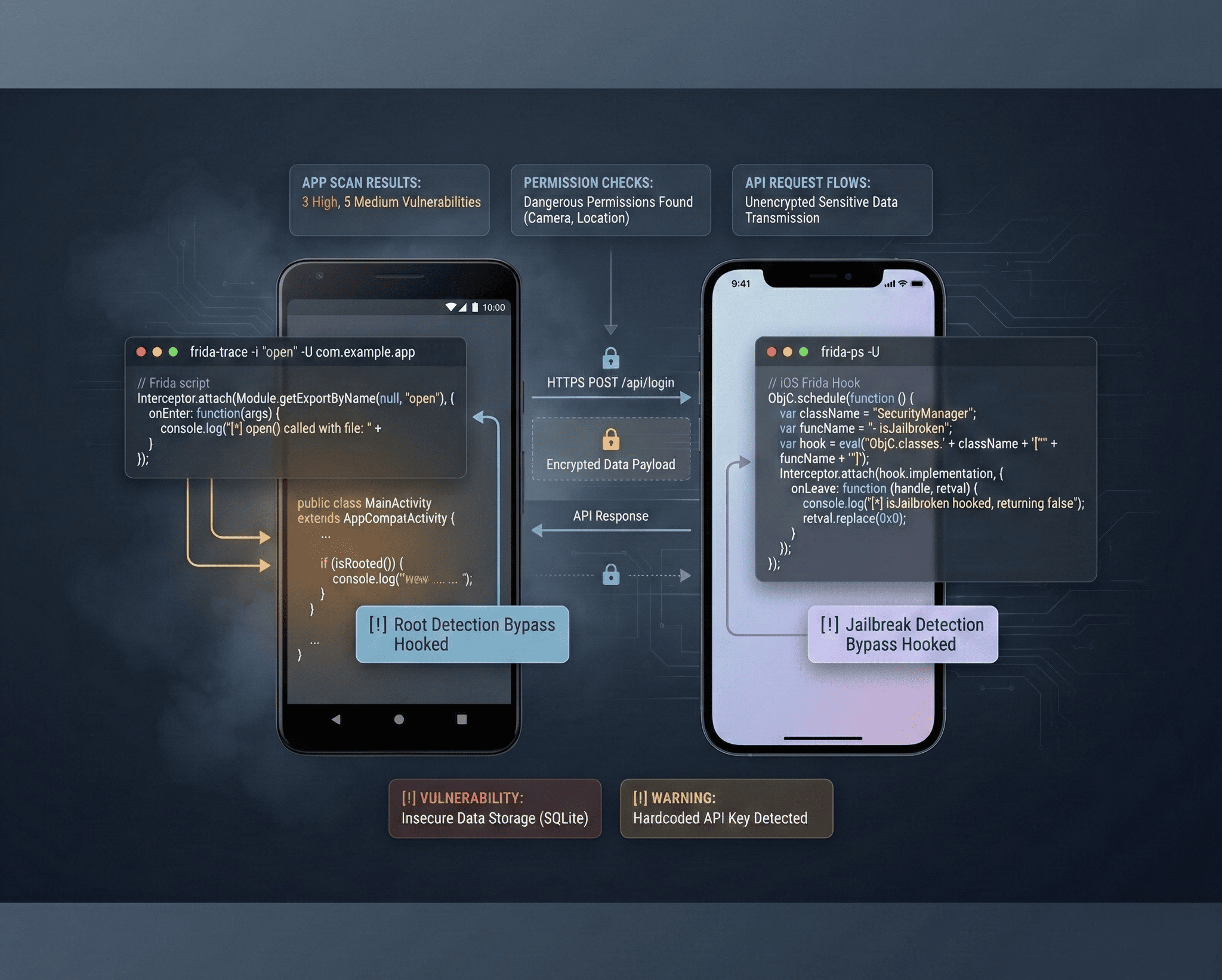
Mobile applications handle some of the most sensitive data in the world — banking credentials, health records, personal communications, biometric data. Yet mobile security testing remains one of the most under-practiced disciplines in application security. In this guide, I cover the full spectrum of mobile app security testing for both Android and iOS, from static analysis and reverse engineering to dynamic instrumentation with Frida.
OWASP Mobile Top 10 (2024)
Before diving into tools and techniques, understand the threat landscape. The OWASP Mobile Top 10 outlines the most critical mobile application security risks:
- M1 — Improper Credential Usage — Hardcoded credentials, insecure key management.
- M2 — Inadequate Supply Chain Security — Third-party library vulnerabilities.
- M3 — Insecure Authentication/Authorization — Weak auth flows, broken session management.
- M4 — Insufficient Input/Output Validation — Injection attacks, path traversal.
- M5 — Insecure Communication — Missing TLS, weak cipher suites, certificate validation failures.
- M6 — Inadequate Privacy Controls — Excessive data collection, PII leakage.
- M7 — Insufficient Binary Protections — No obfuscation, debug builds in production.
- M8 — Security Misconfiguration — Exported components, debug flags, backup allowance.
- M9 — Insecure Data Storage — Sensitive data in SharedPreferences, plist, or SQLite without encryption.
- M10 — Insufficient Cryptography — Weak algorithms, predictable keys, ECB mode.
Android Security Testing
Setting Up the Environment
You need a rooted Android device or emulator. I recommend using a physical Pixel device with Magisk for root, or an Android Studio emulator with a Google APIs image (no Play Store — these allow root).
Essential Tools:
- apktool — APK decompilation and recompilation.
- jadx — DEX to Java decompiler.
- MobSF — Automated static and dynamic analysis.
- Frida — Dynamic instrumentation toolkit.
- Burp Suite — HTTP/S proxy for API interception.
- adb — Android Debug Bridge for device interaction.
Static Analysis: APK Decompilation
Every Android app is a ZIP archive containing DEX bytecode, resources, and a manifest. Decompile it to inspect the source.
# Decompile APK with apktool (resources + smali)
apktool d target-app.apk -o target-decompiled/

# Decompile APK to Java source with jadx
jadx target-app.apk -d target-jadx-output/

# Key files to examine
cat target-decompiled/AndroidManifest.xml    # Components, permissions, exported activities
grep -r "api_key\|secret\|password\|token" target-jadx-output/ --include="*.java"
grep -r "http://" target-jadx-output/ --include="*.java"  # Insecure HTTP connections
Analyzing the Android Manifest
The AndroidManifest.xml reveals the app’s attack surface immediately.
<!-- Dangerous: Exported activity with no permission check -->
<activity android:name=".admin.AdminPanel"
          android:exported="true" />

<!-- Dangerous: Backup enabled — data extractable via adb -->
<application android:allowBackup="true"
             android:debuggable="true">

<!-- Dangerous: Custom deep link without validation -->
<intent-filter>
    <action android:name="android.intent.action.VIEW" />
    <data android:scheme="myapp" android:host="callback" />
</intent-filter>
What to look for:
android:exported="true"on activities, services, receivers, and providers.android:debuggable="true"— should never be true in production.android:allowBackup="true"— allows data extraction viaadb backup.- Custom URL schemes without proper validation.
- Overly broad permissions (camera, contacts, location without justification).
Common Android Vulnerabilities
Insecure Data Storage:
// VULNERABLE: Storing credentials in SharedPreferences (plaintext XML)
SharedPreferences prefs = getSharedPreferences("user_data", MODE_PRIVATE);
prefs.edit().putString("password", userPassword).apply();

// SECURE: Use EncryptedSharedPreferences
MasterKey masterKey = new MasterKey.Builder(context)
    .setKeyScheme(MasterKey.KeyScheme.AES256_GCM)
    .build();

SharedPreferences securePrefs = EncryptedSharedPreferences.create(
    context, "secure_prefs", masterKey,
    EncryptedSharedPreferences.PrefKeyEncryptionScheme.AES256_SIV,
    EncryptedSharedPreferences.PrefValueEncryptionScheme.AES256_GCM
);
Hardcoded Secrets:
# Search for hardcoded secrets in decompiled source
grep -rn "AIza\|AKIA\|sk_live\|-----BEGIN" target-jadx-output/
grep -rn "firebase\|aws\|api.stripe" target-jadx-output/

# Check strings.xml and build configs
cat target-decompiled/res/values/strings.xml | grep -i "key\|secret\|api"
SSL Pinning Bypass
Many apps implement SSL/TLS certificate pinning to prevent proxy interception. Bypassing it is essential for testing API security.
Frida SSL Pinning Bypass Script:
// ssl_pinning_bypass.js
Java.perform(function () {
    console.log("[*] Starting SSL Pinning Bypass...");

    // Bypass TrustManagerFactory
    var TrustManagerFactory = Java.use('javax.net.ssl.TrustManagerFactory');
    TrustManagerFactory.getTrustManagers.implementation = function () {
        console.log("[+] Bypassing TrustManagerFactory.getTrustManagers()");
        var TrustManager = Java.use('javax.net.ssl.X509TrustManager');
        var CustomTrustManager = Java.registerClass({
            name: 'com.custom.TrustManager',
            implements: [TrustManager],
            methods: {
                checkClientTrusted: function (chain, authType) { },
                checkServerTrusted: function (chain, authType) { },
                getAcceptedIssuers: function () { return []; }
            }
        });
        return [CustomTrustManager.$new()];
    };

    // Bypass OkHttp CertificatePinner
    try {
        var CertificatePinner = Java.use('okhttp3.CertificatePinner');
        CertificatePinner.check.overload('java.lang.String', 'java.util.List')
            .implementation = function (hostname, peerCertificates) {
            console.log("[+] OkHttp CertificatePinner bypassed for: " + hostname);
        };
    } catch (e) {
        console.log("[-] OkHttp not found, skipping...");
    }

    console.log("[*] SSL Pinning Bypass Complete!");
});
# Run the bypass
frida -U -f com.target.app -l ssl_pinning_bypass.js --no-pauseMobSF: Automated Analysis
Mobile Security Framework (MobSF) automates both static and dynamic analysis. Deploy it with Docker for quick results.
# Run MobSF
docker run -it --rm -p 8000:8000 opensecurity/mobile-security-framework-mobsf

# Upload APK via web interface at http://localhost:8000
# MobSF will analyze: manifest, code, binaries, hardcoded secrets,
# insecure APIs, and generate a comprehensive report
MobSF checks for over 60 vulnerability categories including hardcoded keys, insecure network configurations, weak cryptography, and exported components.
iOS Security Testing
Environment Setup
iOS testing requires a jailbroken device or a Mac with Xcode. Jailbreaking with checkra1n (hardware exploit, cannot be patched) or Dopamine gives you full filesystem access.
Essential Tools:
- Clutch / frida-ios-dump — Decrypt App Store binaries.
- class-dump — Extract Objective-C class headers.
- Frida — Dynamic instrumentation (works on iOS too).
- objection — Runtime mobile exploration powered by Frida.
- Burp Suite — Proxy with certificate installed on device.
IPA Analysis
# Extract IPA (it's a ZIP file)
unzip target-app.ipa -d target-ipa/

# Examine Info.plist for configuration issues
plutil -p target-ipa/Payload/TargetApp.app/Info.plist

# Check for App Transport Security exceptions
plutil -p target-ipa/Payload/TargetApp.app/Info.plist | grep -A 10 "NSAppTransportSecurity"

# Look for insecure ATS configuration
# NSAllowsArbitraryLoads = true means ALL HTTP traffic is allowed

# Dump class headers
class-dump target-ipa/Payload/TargetApp.app/TargetApp > headers.h
grep -i "password\|token\|secret\|credential" headers.h
iOS Keychain Analysis
# Using objection to dump keychain items
objection --gadget com.target.app explore

# Inside objection console:
ios keychain dump
ios cookies get
ios plist cat NSUserDefaults
ios nsurlcredentialstorage dump
Frida on iOS: Function Hooking
// Hook iOS authentication function
if (ObjC.available) {
    var LoginController = ObjC.classes.LoginViewController;

    Interceptor.attach(LoginController['- validateCredentials:password:'].implementation, {
        onEnter: function (args) {
            var username = ObjC.Object(args[2]).toString();
            var password = ObjC.Object(args[3]).toString();
            console.log("[*] Login attempt:");
            console.log("    Username: " + username);
            console.log("    Password: " + password);
        },
        onLeave: function (retval) {
            console.log("[*] Auth result: " + retval);
            // Force authentication to succeed
            retval.replace(ptr(0x1));
            console.log("[!] Auth result overridden to: TRUE");
        }
    });
}
API Security Testing for Mobile Apps
Mobile apps communicate with backend APIs — and this is where the majority of critical vulnerabilities live.
Burp Suite Proxy Setup
# Configure Android emulator to use Burp proxy
adb shell settings put global http_proxy 10.0.2.2:8080

# Install Burp CA certificate on device
adb push burp-cert.der /sdcard/
# Then: Settings > Security > Install from storage

# For iOS: Configure WiFi proxy settings
# Navigate to http://burp in Safari to download and install CA cert
# Settings > General > About > Certificate Trust Settings > Enable
Common API Vulnerabilities in Mobile Apps
Broken Object-Level Authorization (BOLA):
GET /api/v1/users/1001/profile HTTP/1.1
Authorization: Bearer eyJhbGciOiJIUzI1NiIs...

# Change user ID — if you get another user's data, it's BOLA
GET /api/v1/users/1002/profile HTTP/1.1
Authorization: Bearer eyJhbGciOiJIUzI1NiIs...
Hardcoded API Keys in Binary:
# Extract strings from Android native libraries
strings target-decompiled/lib/arm64-v8a/libnative.so | grep -i "api\|key\|secret\|token"

# Extract strings from iOS binary
strings target-ipa/Payload/TargetApp.app/TargetApp | grep -i "api\|key\|secret"
Reverse Engineering Deep Dive
Smali Code Modification
Smali is the assembly language for Dalvik bytecode. Modifying smali lets you patch app behavior.
# Original: root detection check
.method public isDeviceRooted()Z
    .locals 1
    const/4 v0, 0x1    # returns true (rooted)
    return v0
.end method

# Patched: always return false (not rooted)
.method public isDeviceRooted()Z
    .locals 1
    const/4 v0, 0x0    # returns false
    return v0
.end method
# Rebuild modified APK
apktool b target-decompiled/ -o patched-app.apk
# Sign the APK
keytool -genkey -v -keystore test.keystore -alias test -keyalg RSA -keysize 2048 -validity 10000
jarsigner -verbose -keystore test.keystore patched-app.apk test
# Install and test
adb install patched-app.apkFrida Function Hooking — Advanced
// Hook encryption functions to capture plaintext before encryption
Java.perform(function () {
    var Cipher = Java.use('javax.crypto.Cipher');

    Cipher.doFinal.overload('[B').implementation = function (input) {
        var inputStr = "";
        for (var i = 0; i < input.length; i++) {
            inputStr += String.fromCharCode(input[i]);
        }
        console.log("[*] Cipher.doFinal() input (plaintext): " + inputStr);
        console.log("[*] Algorithm: " + this.getAlgorithm());

        var result = this.doFinal(input);
        return result;
    };

    // Hook SharedPreferences to monitor data storage
    var SharedPreferencesEditor = Java.use('android.app.SharedPreferencesImpl$EditorImpl');
    SharedPreferencesEditor.putString.implementation = function (key, value) {
        console.log("[*] SharedPreferences.putString('" + key + "', '" + value + "')");
        return this.putString(key, value);
    };
});
Automated Scanning Pipeline
For CI/CD integration, combine MobSF with custom scripts:
#!/bin/bash
# mobile_security_scan.sh

APK_PATH=$1
REPORT_DIR="security-reports"
mkdir -p $REPORT_DIR

echo "[*] Running static analysis..."
# MobSF API scan
SCAN_RESP=$(curl -s -F "file=@${APK_PATH}" http://localhost:8000/api/v1/upload \
  -H "Authorization: API_KEY_HERE")
SCAN_HASH=$(echo $SCAN_RESP | python3 -c "import sys,json; print(json.load(sys.stdin)['hash'])")

curl -s -X POST http://localhost:8000/api/v1/scan \
  -H "Authorization: API_KEY_HERE" \
  -d "scan_type=apk&file_name=$(basename $APK_PATH)&hash=$SCAN_HASH"

# Download PDF report
curl -s -X POST http://localhost:8000/api/v1/download_pdf \
  -H "Authorization: API_KEY_HERE" \
  -d "hash=$SCAN_HASH" -o "$REPORT_DIR/mobsf-report.pdf"

echo "[*] Checking for hardcoded secrets..."
trufflehog filesystem --directory target-jadx-output/ --json > "$REPORT_DIR/secrets.json"

echo "[*] Scan complete. Reports saved to $REPORT_DIR/"
Tools Arsenal Summary
| Tool | Platform | Purpose |
|---|---|---|
| apktool | Android | APK decompilation/recompilation |
| jadx | Android | DEX to Java decompiler |
| MobSF | Both | Automated static & dynamic analysis |
| Frida | Both | Dynamic instrumentation |
| objection | Both | Runtime exploration (Frida-powered) |
| Burp Suite | Both | HTTP/S proxy and API testing |
| class-dump | iOS | Objective-C header extraction |
| Clutch | iOS | App Store binary decryption |
| Drozer | Android | IPC and component testing |
| Nuclei | Both | API vulnerability scanning |
Final Thoughts
Mobile app security testing requires a unique blend of reverse engineering skills, API security knowledge, and platform-specific expertise. The attack surface is enormous — from insecure local storage and hardcoded secrets to broken API authorization and weak cryptography. Master the tools, understand the OWASP Mobile Top 10, and always test the API layer as thoroughly as the client application. The mobile app is just a window into the backend — and that backend is where the real treasure lies.